
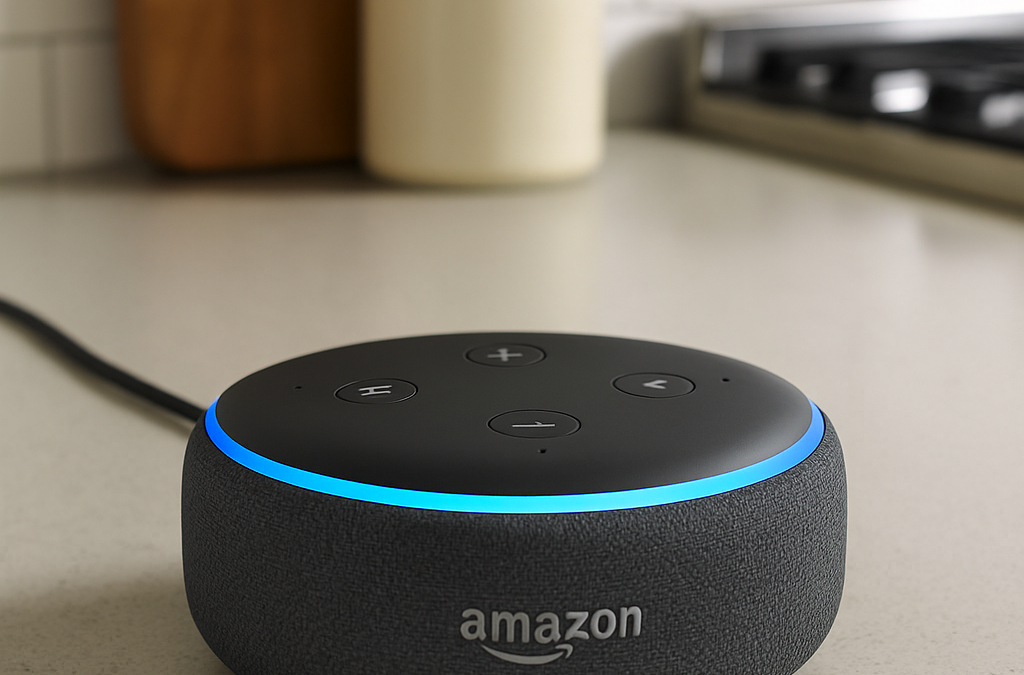
Have you heard about “smart home” devices? Maybe you’ve seen commercials where people just talk to their lights or play music with their voice. It might sound a bit like science fiction, but these devices are becoming incredibly popular and can make daily life much easier and more comfortable!
Today, we’re going to introduce you to the world of smart home devices, focusing on the ones you talk to, like Google Home and Amazon Alexa. Think of them as helpful assistants right in your home! ✨
What are Smart Home Devices? 🤔
A “smart home” means your home has devices that can connect to the internet and talk to each other. This allows you to control them in new ways – often with your voice or through a simple app on your phone or tablet.
Think of it like this: Instead of flipping a light switch, you can say, “Alexa, turn on the living room light!” Or, instead of getting up to check the weather, you can ask, “Hey Google, what’s the weather like today?”
The “Brains” of the Operation: Smart Speakers (Like Google Home & Amazon Alexa)
These are the most common starting points for a smart home. They are speakers with microphones that listen for your commands.
-
Google Home / Google Nest: These devices respond when you say “Hey Google” or “Okay Google.” They use Google’s Assistant to answer questions, play music, set timers, and control other smart devices.
-
Amazon Alexa / Echo devices: These devices respond when you say “Alexa.” They use Amazon’s Alexa voice assistant to do similar things like play music, set alarms, give you news updates, and control compatible smart devices.
🎙️ How Do You Use Them? (Voice Commands!)
The magic of these devices is often their voice control. You simply speak naturally, and they try to understand and respond!
Common things you can ask them to do:
-
“Hey Google, what time is it?” or “Alexa, what’s the weather?” (For quick information)
-
“Hey Google, play some classical music.” or “Alexa, play relaxing sounds.” (For entertainment)
-
“Alexa, set a timer for 10 minutes.” (Great for cooking!)
-
“Hey Google, remind me to call Mary at 3 PM.” (For reminders)
-
“Alexa, tell me a joke.” (For a chuckle!)
💡 Making Your Home Even Smarter: Other Easy Smart Devices
Once you have a smart speaker, you can add other simple smart devices that they can control.
1. Smart Plugs:
-
What they are: These are small adapters you plug into a regular wall outlet. Then, you plug your lamp, fan, or coffee maker into the smart plug.
-
What they do: They turn your “regular” devices into “smart” ones! You can now turn them on or off with your voice or from an app on your phone, even when you’re not home.
-
Example: “Alexa, turn on the living room lamp.” Or set a schedule for your lamp to turn on when it gets dark.
2. Smart Light Bulbs:
-
What they are: These are light bulbs that connect to your Wi-Fi.
-
What they do: You can turn them on/off, dim them, and even change their color (on some models) using your voice or an app.
-
Example: “Hey Google, dim the kitchen lights to 50%.” Or “Alexa, turn off all the lights.” This is especially handy if you’re already in bed and forgot to turn off a light!
Benefits of Smart Home Devices:
-
Convenience: No need to get up to flip a switch, check the time, or change music.
-
Safety:
-
Turn lights on with your voice if you enter a dark room.
-
Set lights to come on automatically before you get home.
-
If you have a medical alert system linked, you can call for help using your voice (system dependent).
-
-
Peace of Mind: You can check on devices (like lights or appliances connected to smart plugs) even when you’re away from home using your phone app.
-
Staying Connected: Easily make hands-free calls to family and friends.
Setting Them Up (General Steps):
Setting up these devices often involves:
- Plugging them in: Find an electrical outlet and plug in your smart speaker or smart plug.
- Downloading an app: On your smartphone or tablet, you’ll download the specific app for your device (e.g., “Google Home” app for Google devices, “Amazon Alexa” app for Echo devices).
- Following the on-screen steps: The app will guide you through connecting the device to your home’s Wi-Fi.
- Giving them a name: You can name your smart lights “Living Room Lamp” or “Kitchen Light” so your smart speaker knows what to control.
While setting them up can seem a little techy at first, the apps are usually designed to be helpful, walking you through each step.
Common Tips & What to Remember:
-
Wi-Fi is Key: All these devices need your home’s Wi-Fi to work. Make sure your Wi-Fi is on and working well.
-
Be Clear: Speak clearly and at a normal pace when giving commands.
-
Practice! The more you use them, the more comfortable you’ll become! Try asking simple questions at first.
-
Privacy: These devices are always “listening” for their “wake word” (like “Alexa” or “Hey Google”), but they only record and send information to the internet after they hear that word. Most have a mute button if you want them to stop listening entirely.
Smart home devices are all about making life a little bit easier and more enjoyable. They’re like having a helpful assistant always ready to lend an ear!
If you run into any snags or want to explore more, remember that our Sharks are always here to help you navigate it!